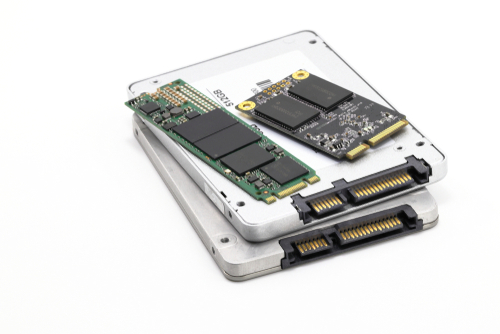
Solid-state Drive (SSD)
Solid-state Drive (SSD)
Solid-state drives (SSDs) are a type of storage device that function similarly to traditional hard drives but use a completely different technology. Traditional mechanical hard drives (HDDs) rely on spinning disks and a read/write head that moves across the platter to access each piece of data. SSDs, on the other hand, use flash memory to store information and access data digitally, similar to a USB flash drive. Because SSDs do not need to physically seek data on a spinning disk, they offer near-instant boot and read speeds. With fewer moving parts, SSDs are more shock-resistant than HDDs, but they also contain many complex and sensitive electronic components that can still fail.
SSD data recovery is one of the most time-consuming and technically complex tasks we handle. In many cases, we must physically remove each individual memory chip from the SSD. After removing each chip, we use a chip programmer/reader to extract (dump) its contents onto another storage device, where we can then analyze and reconstruct the data into a readable format.
Most SSDs on the market today contain 16 or more memory chips, and each device’s controller manages flash memory in extremely complex and proprietary ways. To maximize performance, the controller distributes data evenly across all chips using RAID-like striping techniques while avoiding defective blocks. Reconstructing striped data across dozens of memory chips and reassembling it into a usable format is as difficult as—if not more complicated than—recovering data from the most advanced RAID arrays.
We use professional products and technologies from ACE Lab (Russia) to provide recovery services for nearly all major brands and models of failed SSDs.
If you would like to use our free diagnostic service, please click the button below:
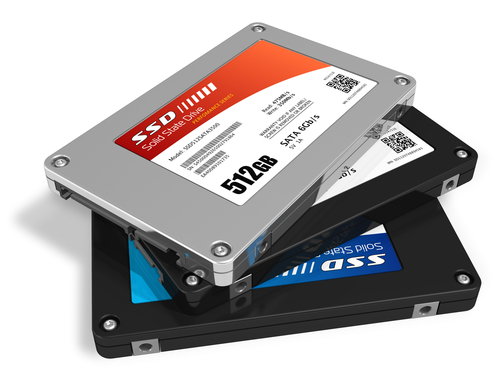
Common Solid-State Drive (SSD) Failures
Common failures of Solid-state drive
- Logical Failures (Accidental Deletion, Partition Loss, Partition Formatting)
- PCB (Printed Circuit Board) Failure or Electronic Circuit Damage
- Damaged Sectors
- Firmware Malfunction or Corruption
- Interface Failure (such as USB or SATA Connectors)
- Controller IC Failure
- Memory Wear